
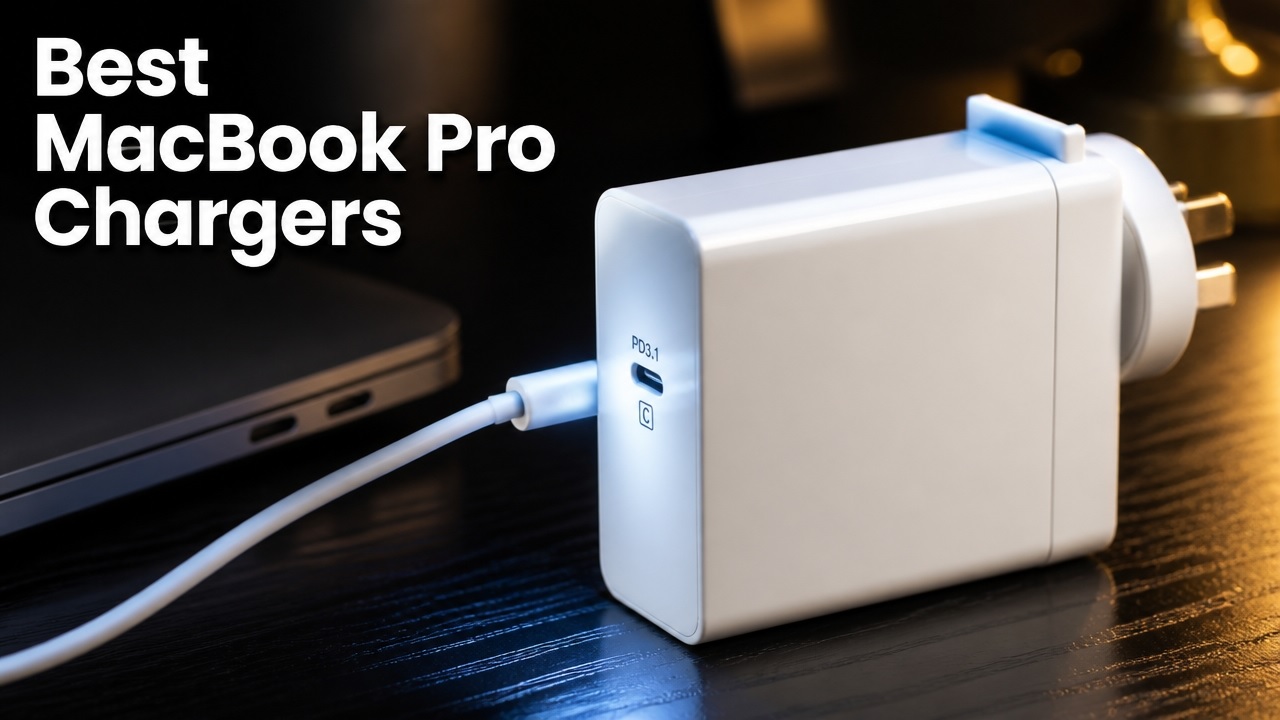
If your MacBook Pro is the central tool of your workflow, the charger you pick directly affects how fast you top up, whether you can sustain demanding tasks and how long your battery lasts.
With the latest M5 models, older M4 and M3 MacBooks still on store shelves and a growing range of third‑party adapters, choosing the right power solution isn’t as simple as grabbing any USB‑C brick.
This article breaks down the wattage requirements, cable compatibility, fast‑charging options and safety considerations for every current MacBook Pro configuration.
Understanding the Current MacBook Pro Lineup
The current Apple MacBook Pro lineup includes two main sizes: 14-inch and 16-inch models. These are powered by the M5 family of chips, which includes the M5, M5 Pro and M5 Max.
| Size | Base Chip | High‑End Chip Options | Starting Storage | Thunderbolt Ports | Wireless | Max Battery Life |
|---|---|---|---|---|---|---|
| 14‑inch | M5 (standard) | M5 Pro / M5 Max | 1TB SSD | 3 × Thunderbolt 4 | Wi‑Fi 6E | Up to 24h |
| 16‑inch | M5 (standard) | M5 Pro / M5 Max | 1TB (M5 Pro) / 2TB (M5 Max) | 3 × Thunderbolt 5 | Wi‑Fi 7 / Bluetooth 6 | Up to 24h |
Older 2024 M4 and 2023 M3 models remain widely available through discounts and refurbished channels. The M4 generation introduced a 12MP Center Stage camera and 16GB of base memory.
Matching Charger Wattage to Your Model
Matching charger wattage to your model is important for optimal charging performance. For a 13‑inch MacBook (Intel or M1), the minimum recommended wattage is 61W to 67W.
For a 14‑inch model with M5, M5 Pro or M5 Max chips, the minimum recommended wattage is 67W to 70W, while fast‑charging at 96W is possible using a USB‑C to MagSafe 3 cable.
For a 16‑inch model with M5, M5 Pro or M5 Max chips, the minimum recommended wattage is 96W and fast‑charging at 140W is supported via USB‑C to MagSafe 3 with PD 3.1.
Higher‑wattage adapters are safe to use, as the laptop draws only the power it needs.
Lower‑wattage adapters will charge more slowly and may cause the battery to drain under heavy workloads.
| Model | Minimum Recommended Wattage | Fast‑Charge Wattage |
|---|---|---|
| 13‑inch (Intel/M1) | 61W – 67W | — |
| 14‑inch (M5, M5 Pro, M5 Max) | 67W – 70W | 96W (USB‑C → MagSafe 3) |
| 16‑inch (M5, M5 Pro, M5 Max) | 96W | 140W (USB‑C → MagSafe 3, PD 3.1) |
- Higher‑wattage adapters are safe the laptop draws only the power it needs.
- Lower‑wattage adapters will charge more slowly and may let the battery drain under heavy workloads.
Cable Compatibility: USB‑C vs. MagSafe 3
When choosing a cable for your MacBook, consider the difference between USB‑C to USB‑C and USB‑C to MagSafe 3. A USB‑C to USB‑C cable supports universal charging and data transfer across MacBooks, iPads and phones, but is limited to roughly 100 W unless you use a 240 W cable on newer models. In contrast, a USB‑C to MagSafe 3 cable is preferred for 14‑inch and 16‑inch MacBook Pro models because it enables a magnetic disconnect for safety and supports fast charging at either 96W or 140W.
| Cable Type | Use Cases |
|---|---|
| USB‑C → USB‑C | Universal charging and data transfer across MacBooks, iPads, phones. Limited to ~100W unless using a 240W USB‑C cable on newer models. |
| USB‑C → MagSafe 3 | Preferred for 14‑inch and 16‑inch MacBook Pro. Enables magnetic disconnect for safety and supports fast‑charge (96W or 140W). |
Fast‑Charging Requirements
For fast charging, the 14‑inch MacBook Pro requires a 96W USB‑C Power Adapter and a USB‑C to MagSafe 3 cable, enabling cable, achieving approximately 0% to 50% in about 30 minutes.
The 16‑inch MacBook Pro requires a 140W USB‑C Power Adapter with Power Delivery 3.1 and the same cable to reach the same 30 minute benchmark.
- 14‑inch MacBook Pro: 96W USB‑C Power Adapter + USB‑C → MagSafe 3 cable. Achieves ~0% → 50% in ~30 minutes.
- 16‑inch MacBook Pro: 140W USB‑C Power Adapter (Power Delivery 3.1) + USB‑C → MagSafe 3 cable. Same 30‑minute benchmark.
Safety and Certification
When selecting a USB charger, compliance with USB Power Delivery (PD) is mandatory and only units bearing recognized safety marks such as the Australian RCM, UL or CE should be considered.
Sticking to reputable brands, including Apple, Oxhorn, Campad Electronics, Cygnett, Anker, Ugreen and other certified manufacturers, is essential, while cheap, uncertified bricks must be avoided as they can overheat and damage internal components.
- USB Power Delivery (PD) compliance is mandatory.
- Choose chargers with recognized safety marks (e.g., Australian RCM, UL, CE).
- Stick to reputable brands: Apple, Oxhorn, Cygnett, Anker, Ugreen and other certified manufacturers.
- Avoid cheap, uncertified bricks, they can overheat and damage internal components.
Portability and Multi‑Port Solutions
GaN (Gallium Nitride) technology delivers the same wattage in a smaller, cooler package compared to traditional silicon bricks, making it ideal for travel. Multi‑port chargers with two or more USB‑C outputs let you power a MacBook Pro, iPhone and AirPods from a single wall socket, reducing clutter.
- GaN (Gallium Nitride) technology: Delivers the same wattage in a smaller, cooler package compared to traditional silicon bricks. Ideal for travel.
- Multi‑port chargers: Look for models with two or more USB‑C outputs. This lets you power a MacBook Pro, iPhone and AirPods from a single wall socket, reducing clutter.
What Happens with a Lower‑Wattage Adapter?
When a lower-wattage adapter is used, the MacBook Pro draws the maximum power the adapter can supply. While charging proceeds normally under light usage, during intensive tasks such as video rendering, gaming or AI workloads, the battery may slowly discharge because the power draw exceeds the adapter’s capacity.
- The MacBook Pro will draw the maximum power the adapter can supply.
- Under light usage, charging proceeds normally.
- During intensive tasks (video rendering, gaming, AI workloads), the battery may slowly discharge because the power draw exceeds the adapter’s capacity.
Recommended Adapter & Cable Combinations
For optimal charging, the recommended adapter and cable combinations vary by MacBook model.
The 14‑inch base model with an M5 chip should use a 70W or higher USB‑C Power Adapter paired with a high‑quality, 100W‑rated USB‑C to USB‑C cable.
The 14‑inch Pro or Max models with M5 Pro or Max chips require a 96W USB‑C Power Adapter and a USB‑C to MagSafe 3 cable.
Any 2021 or later 16‑inch MacBook uses a 140W charger.
| Model | Adapter | Cable |
|---|---|---|
| 14‑inch Base (M5) | 70W USB‑C Power Adapter (Apple) | USB‑C → USB‑C (high‑quality, 100W rated) |
| 14‑inch Pro/Max (M5 Pro/Max) | 96W USB‑C Power Adapter (Apple) | USB‑C → MagSafe 3 |
| 16‑inch (any 2021 +) | 140W USB‑C Power Adapter (Apple) | USB‑C → MagSafe 3 |
| Travel‑Oriented | 65W–90W GaN USB‑C charger (Anker, Oxhorn, Ugreen) | USB‑C → USB‑C (for standard charging) or USB‑C → MagSafe 3 (if rated for 96W+) |
Verifying Compatibility
To verify compatibility, check the model identifier (e.g., “MacBookPro18,3”) in About This Mac, locate the wattage printed on the original adapter if available and consult Apple’s Power Adapter Support Guide for region‑specific part numbers.
For third‑party gear, confirm PD 3.1 support for 140W (16‑inch fast charge), GaN technology if size matters and certified safety markings.
- Check the model identifier (e.g., “MacBookPro18,3”) in About This Mac.
- Locate the wattage printed on the original adapter (if you still have it).
- Consult Apple’s Power Adapter Support Guide for region‑specific part numbers.
- For third‑party gear, confirm:
- PD 3.1 support for 140W (16‑inch fast charge)
- GaN technology (if size matters)
- Certified safety markings
Where To Buy
You can buy a MacBook Pro charger locally depending upon your location for options available across Australia, online delivery is available through the Apple (AU) Online Store, which offers free delivery or specialized online-only charging configurations.
Campad Electronics provides a good range of top quality chargers, with a very easy to use website that aids in charger selection, competitive prices, fast delivery and expert advice; they have been serving people across Australia for over 35 years.
Amazon Australia offers a wide variety of both genuine and third-party chargers with fast delivery.
For physical retailers with in-store pickup include JB Hi-Fi, which stocks genuine Apple USB-C power adapters ranging from $89 to $149 and approved third-party USB-C alternatives.
The Apple Store is the best place to buy genuine MagSafe 3 cables or high-wattage USB-C adapters, such as the 70W, 96W or 140W versions, tailored to your specific MacBook model.
Harvey Norman carries genuine Apple Mac power adapters and charging cables, with stock varying by location.
Bottom Line
Choosing the right charger for your MacBook Pro is a balance of wattage, cable type, safety and portability.
Use at least the minimum wattage specified for your model, opt for a MagSafe 3 cable when fast charging and prioritize certified, GaN‑based adapters for a compact, reliable power solution.
With the correct combination, you’ll maintain optimal battery health, enjoy rapid charging when needed and keep your workspace tidy.